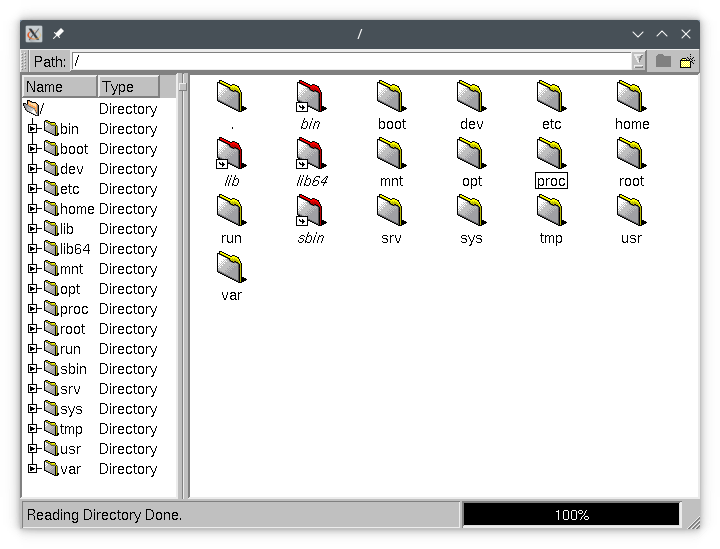
Osiris is a C++ GUI toolkit, forked from Qt at version 2.3.2. It is fast, simple, and aesthetically lacking. However, it is still a highly functional toolkit and runs on modern Linux systems.
The primary use is providing a toolkit for MiDesktop (our fork of KDE1), due to licensing issues and some other issues with Qt version 1. However, it is a great way to bring other legacy applications back to life – both those using Qt1 and Qt2 (and there’s nothing stopping you from using it to write new applications either).
Getting Osiris
Osiris is packaged for Debian and Ubuntu. Distributions based on those may be able to use those packages, however, it has not been tested.
Ubuntu Instructions
Supported architectures: amd64 (Osiris 2.4.3 and newer), arm64 (Osiris 2.4.3 only)
Note on supported architectures: The arm64 port isn’t as well tested as the others, due to not having a good ARM board on hand right now. Please file a bug report if you have any issues. Please note that this port is no longer packaged due to time constraints, however, we still accept (and appreciate) bug reports.
Supported releases: noble
To add the official Libranext Pub-Package repository for Ubuntu, run the following commands (substituting your distribution codename):
sudo echo 'deb https://debpkg.libranext.com/pub/ubuntu <your distribution here> main' > /etc/apt/sources.list.d/libranext-pub.list
wget https://debpkg.libranext.com/pub/ubuntu/pool/main/libranext-debpkg-keyring_2025_all.deb
sudo dpkg -i libranext-debpkg-keyring_2025_all.deb
sudo apt update
After adding the repository, run the following commands to install Osiris:
sudo apt install osiris originator osiris-dev-tools osiris-dev osiris-doc originator-doc
Debian Instructions
Supported architectures: amd64 (Osiris 2.4.3 and newer), i386 (Osiris 2.4.3 only), arm64 (Osiris 2.4.3 only)
Notes on supported architectures:
- The
i386packages were built for Pentium II or higher machines. If you need support for Pentium machines, you should compile Osiris per the build instructions below.i386packages are only available for Debian 12 only, and only for Osiris 2.4.3, due to time constraints. Note that compiling Osiris is still supported on these platforms and bug reports are welcome. - The
arm64port isn’t as well tested as the others, due to not having a good ARM board on hand right now. Please file a bug report if you have any issues.packages are only available for Debian 12 only, and only for Osiris 2.4.3, due to time constraints. Note that compiling Osiris is still supported on these platforms and bug reports are welcome.arm64
Supported releases: bookworm (Osiris 2.4.3 only), trixie (Osiris 2.4.4 and newer)
Notes on supported distributions: Users have reported success using the Debian packages on a Devuan system. While not tested, these packages should also work on LMDE (Linux Mint Debian Edition). If you have issues, please report an it on the bug tracker.
To add the official Libranext Pub-Package repository for Debian, run the following commands as root (substituting your distribution codename):
echo 'deb https://debpkg.libranext.com/pub/debian <your distribution here> main' > /etc/apt/sources.list.d/libranext-pub.list
wget https://debpkg.libranext.com/pub/debian/pool/main/libranext-debpkg-keyring_2025_all.deb
dpkg -i libranext-debpkg-keyring_2025_all.deb
apt update
After adding the repository, run the following commands to install Osiris:
apt install osiris originator osiris-dev-tools osiris-dev osiris-doc originator-doc
Source code
Current stable release: Osiris 2.4.4. You can download the source code from its release page here.
Current development release: Currently 2.5.0
Screenshots